I’ve recently noticed there are now a ton of MINI blogs out there. Some update often, but others only occasionally. Even when using a site like GoMotoring, it can be hard to keep track of what is new and what you have already read. I’ve been using Safari’s built-in RSS aggregator instead, which nicely lists each post in reverse chronological order:
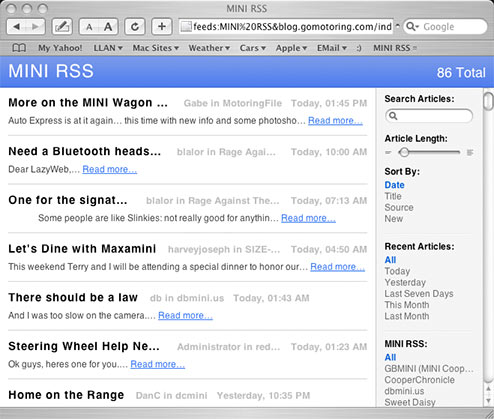
This way I can see what is new today or the last few days at a glance. If there is a post in an occasionally posted blog, it gets inserted right in there with the big guys.
To create this in Safari (2.0, requires Tiger) you create a bookmark folder and check off Auto-Click. Then add bookmarks of the RSS feeds of each site you want. Once it is created, when you find a new site, you can just drag the URL icon of its feed address onto the button and it is added to the list.
…or you can just bookmark this link to all the blogs I currently watch.
This is also possible with RSS Readers that are commonly available for download. I would really like it to be implemented on a web page, for example as an alternate view at GoMotoring, but I’ve mentioned it to both him and MotoringFile, and they have more important things to do. 🙂 (So for the nerds out there, does anyone know of a good php app that could do this?) It sure would be nicer to have it server generated so that everyone could enjoy this wonderful way to get their fix of MINI blogs!